



Downtime Defender

When MEDITECH Goes Dark, Your Data Doesn't Have To

Downtime Defender keeps mission-critical patient and operational data accessible during any downtime event, planned or unplanned, by producing scheduled report snapshots stored locally and in the cloud.

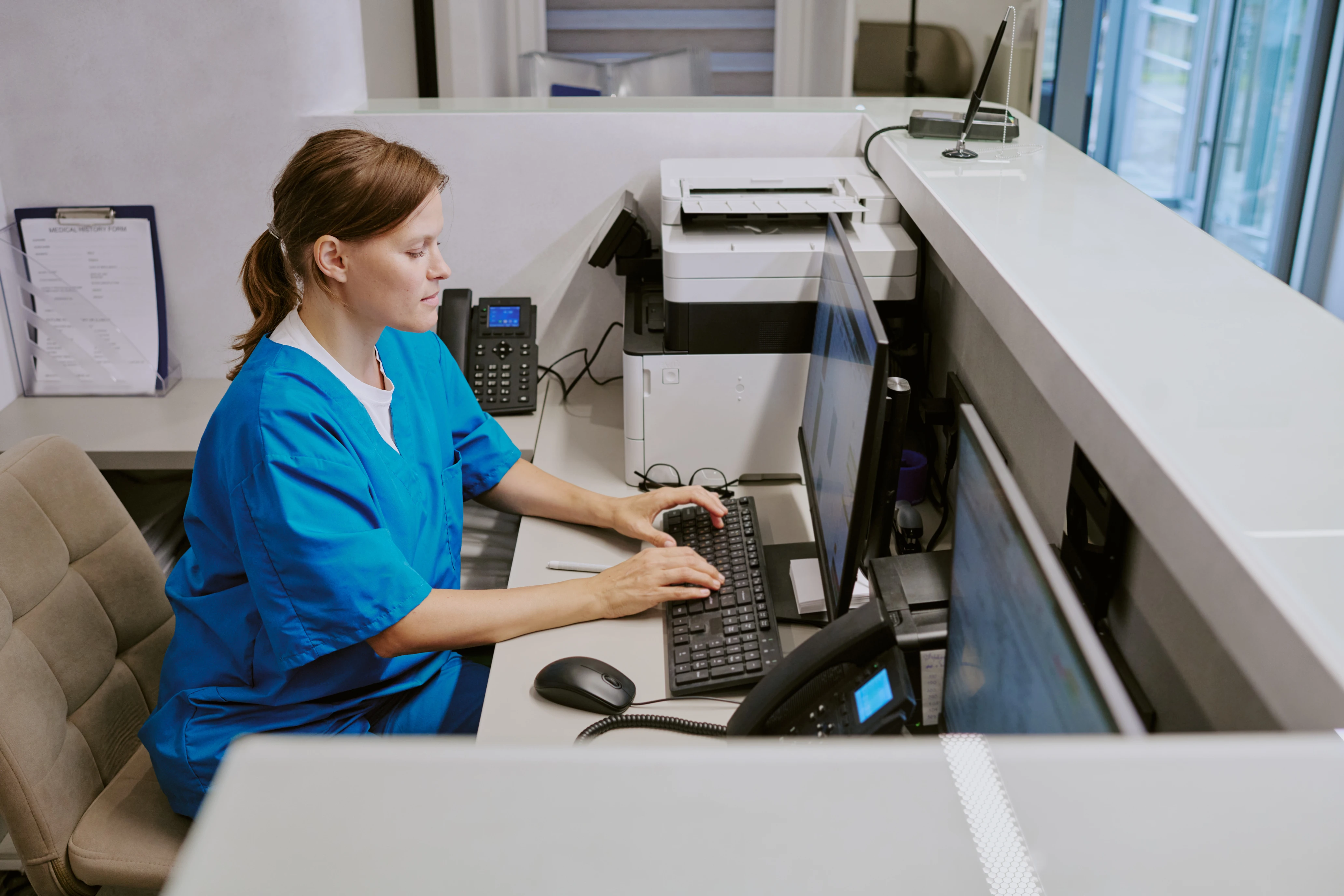
Hospital administrator reviewing MEDITECH system performance reports

Downtime Is Not a Matter of If.
It's a Matter of When.

System updates, network outages, ransomware attacks, natural disasters. When your MEDITECH EHR goes offline, your clinicians lose access to the patient data they need to deliver safe care.

The question isn't whether it will happen. It's whether you'll be ready when it does...

Always Current.
Always Accessible.
Always There.

A secure downtime application and report delivery system built specifically for the MEDITECH EHR.

Downtime Defender generates fresh report snapshots from your Data Repository on a continuous cycle, formats them as clean PDFs, and stores them both locally and in the cloud. If one storage location fails, the other is still available. Your clinicians get the information they need regardless of what caused the outage.

01.

Scheduled snapshots keep patient and operational data always current

02.

Dual storage, local and cloud, ensures access during any type of outage

03.

Fully automated. No manual preparation. No IT intervention required.
Contemporary hospital building with modern glass architecture

Comprehensive Coverage Out of the Box

Downtime Defender includes a standard report library covering the clinical and operational data areas your hospital needs most during an outage. Custom reports are available for anything specific to your downtime procedures.

The complete picture at the bedside

Detailed patient demographics, diagnoses, allergies, and active care information for every in-house patient.

Downtime Defender patient summary report - demographics and visit history during EHR outage

Know who's where, instantly

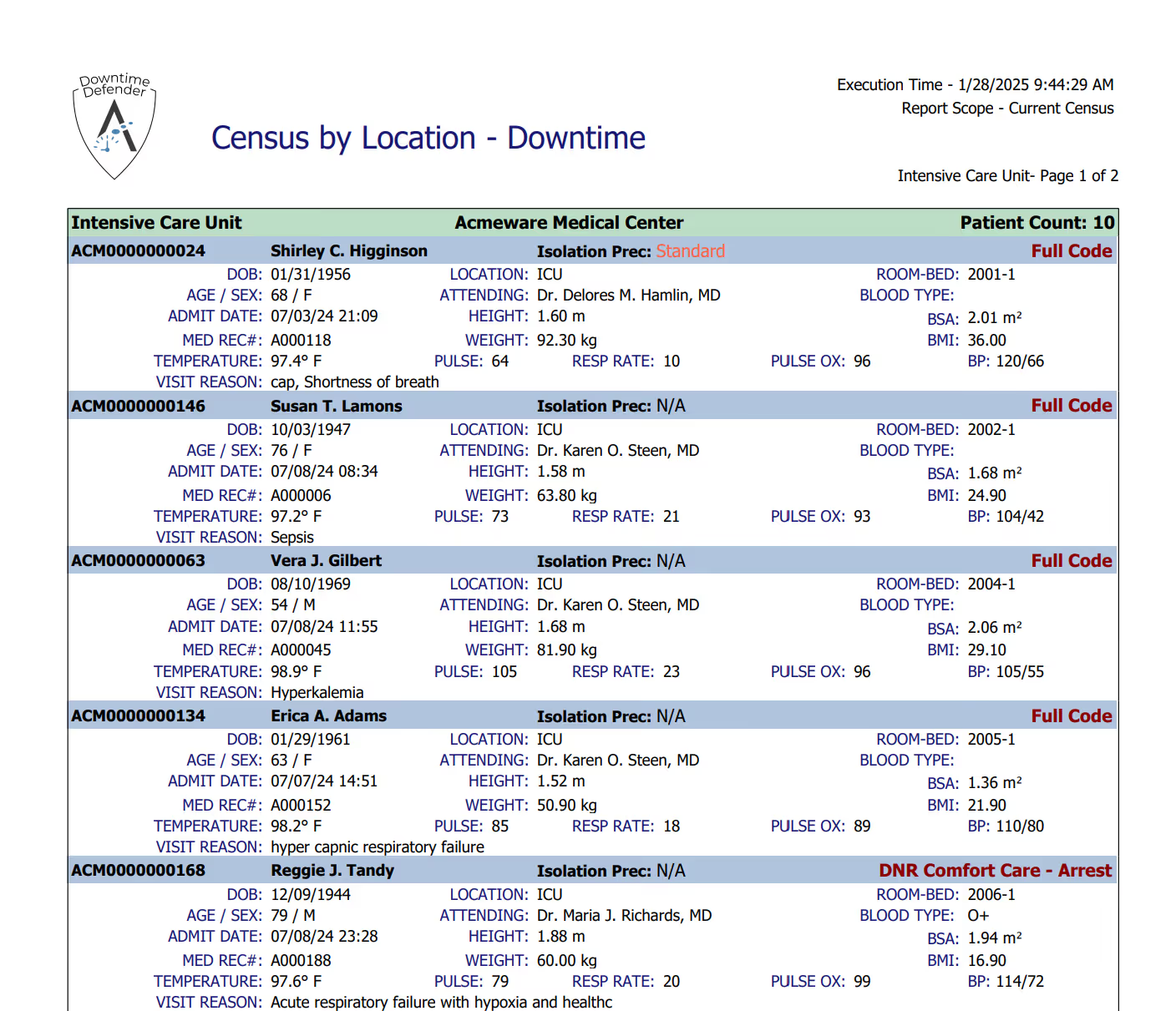
ER and inpatient census organized by nursing unit and location, updated on every refresh cycle.

Downtime Defender census by location report - current inpatients by unit during MEDITECH downtime

Medication safety without the EHR

Medication administration records including past 24 hours, current medications, and upcoming scheduled doses.

Downtime Defender MAR report - medication administration record available offline during EHR downtime

Quick-reference medication overview

Condensed medication administration view for rapid clinical decision-making during downtime.

Downtime Defender MAR summary report - medication overview for clinicians during EHR outage

Nursing documentation stays accessible

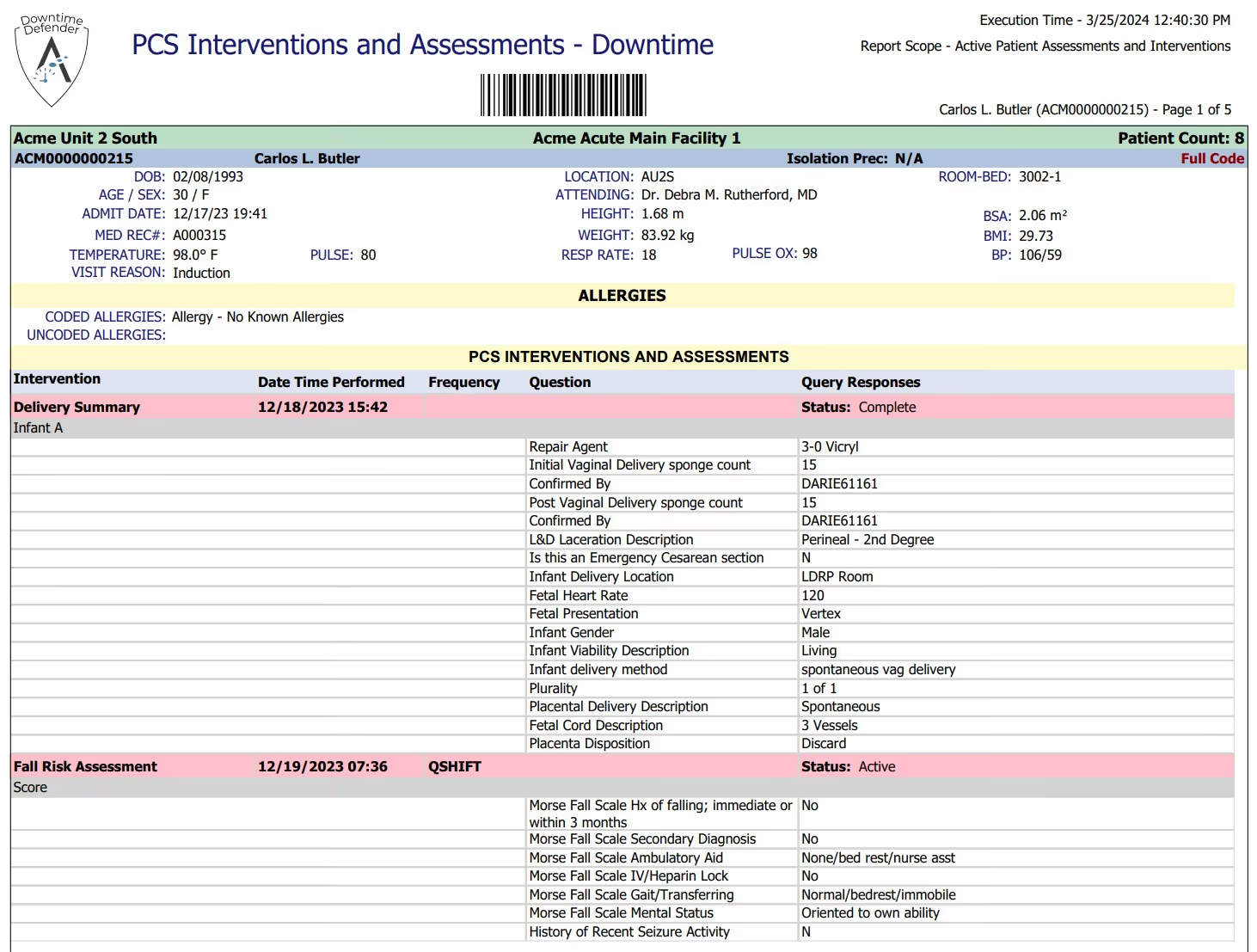
Patient care system interventions and assessments available when MEDITECH is not.

Downtime Defender PCS report - patient care summary accessible during EHR downtime event

Latest results, always available

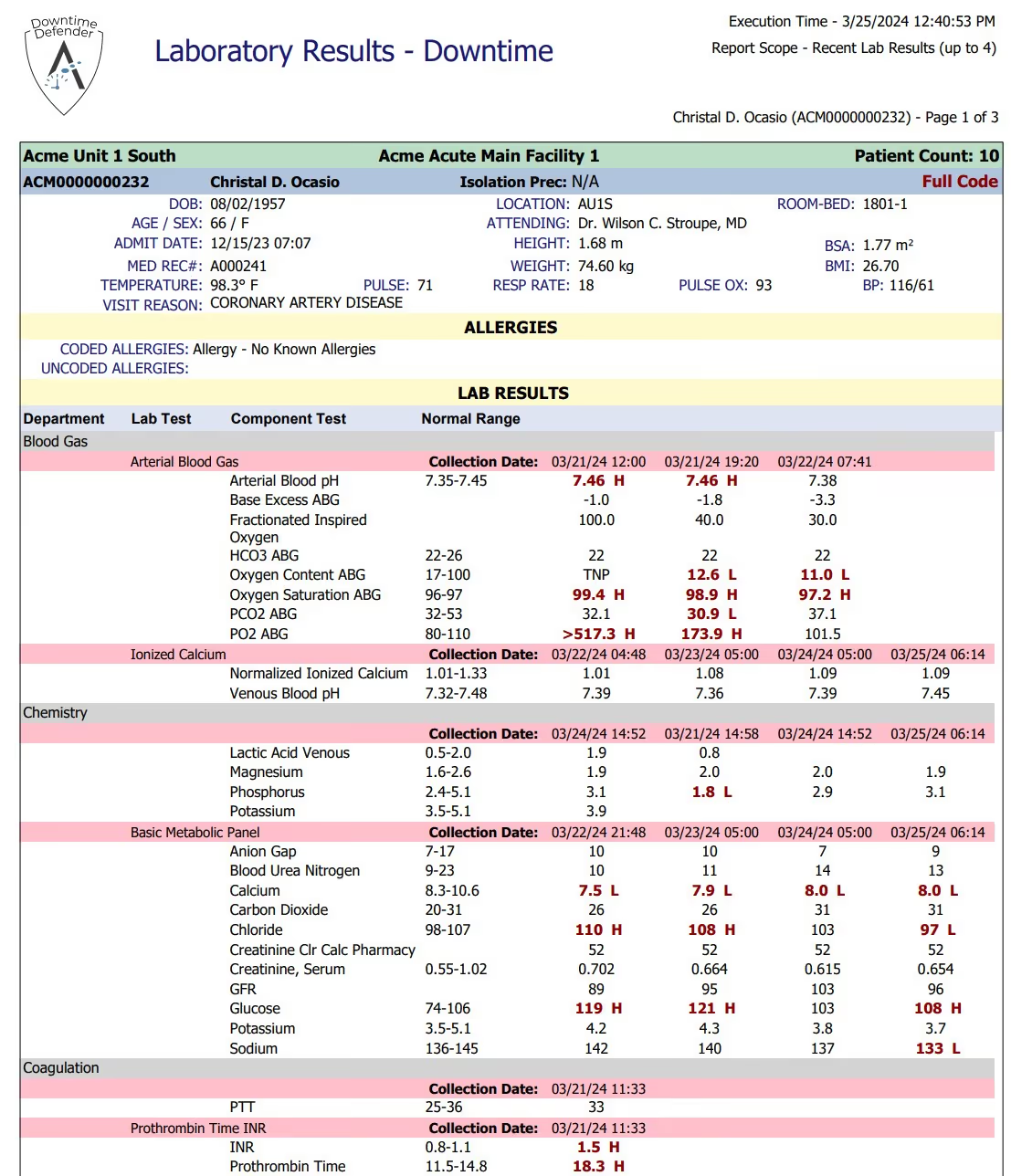
Lab tests and results for current inpatients, refreshed on every snapshot cycle.

Downtime Defender lab results report - patient laboratory data accessible during MEDITECH outage

Pending and active orders at a glance

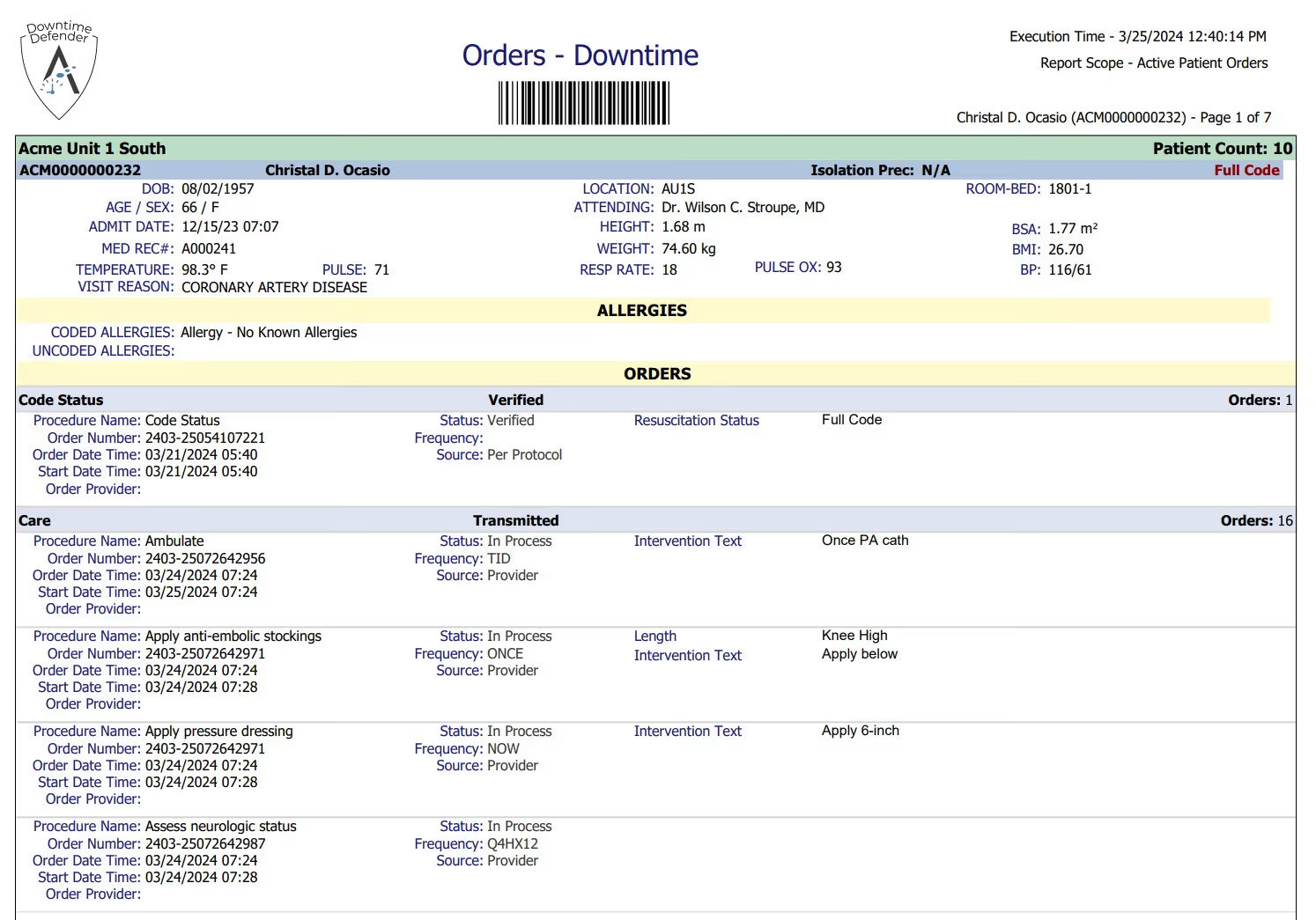
Current orders from Order Management so care teams can maintain continuity during an outage.

Downtime Defender orders report - active physician orders available during MEDITECH EHR downtime

Surgical and ambulatory schedules preserved

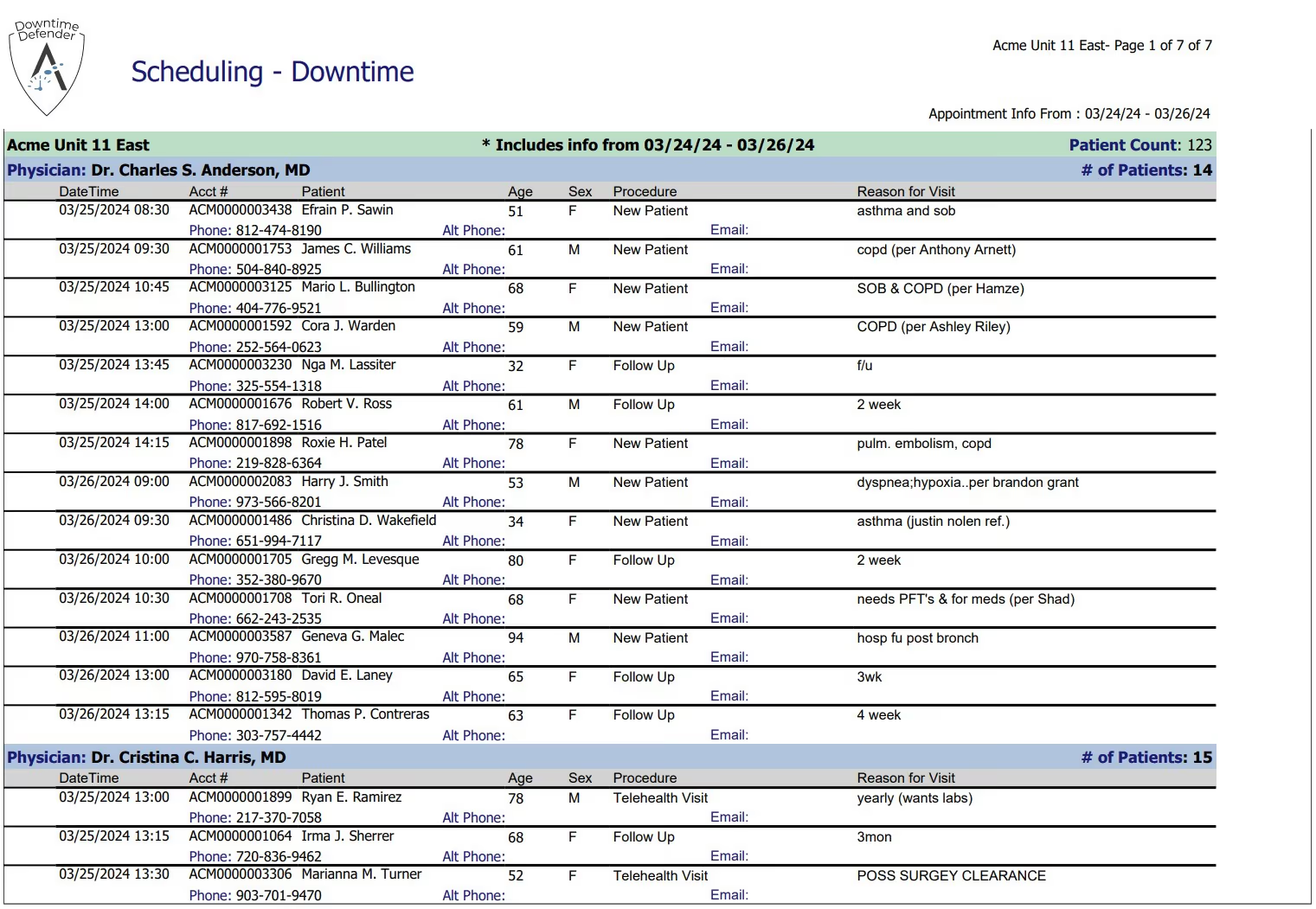
Scheduled surgeries, outpatient visits, and ambulatory appointments so operations continue without disruption.

Downtime Defender scheduling report - patient appointments accessible during MEDITECH downtime

Reach your people when it matters

Active employee contact information for coordinating response during extended outage events.

Downtime Defender HR report - staffing information available during EHR system outage

Supply chain contacts and history on hand

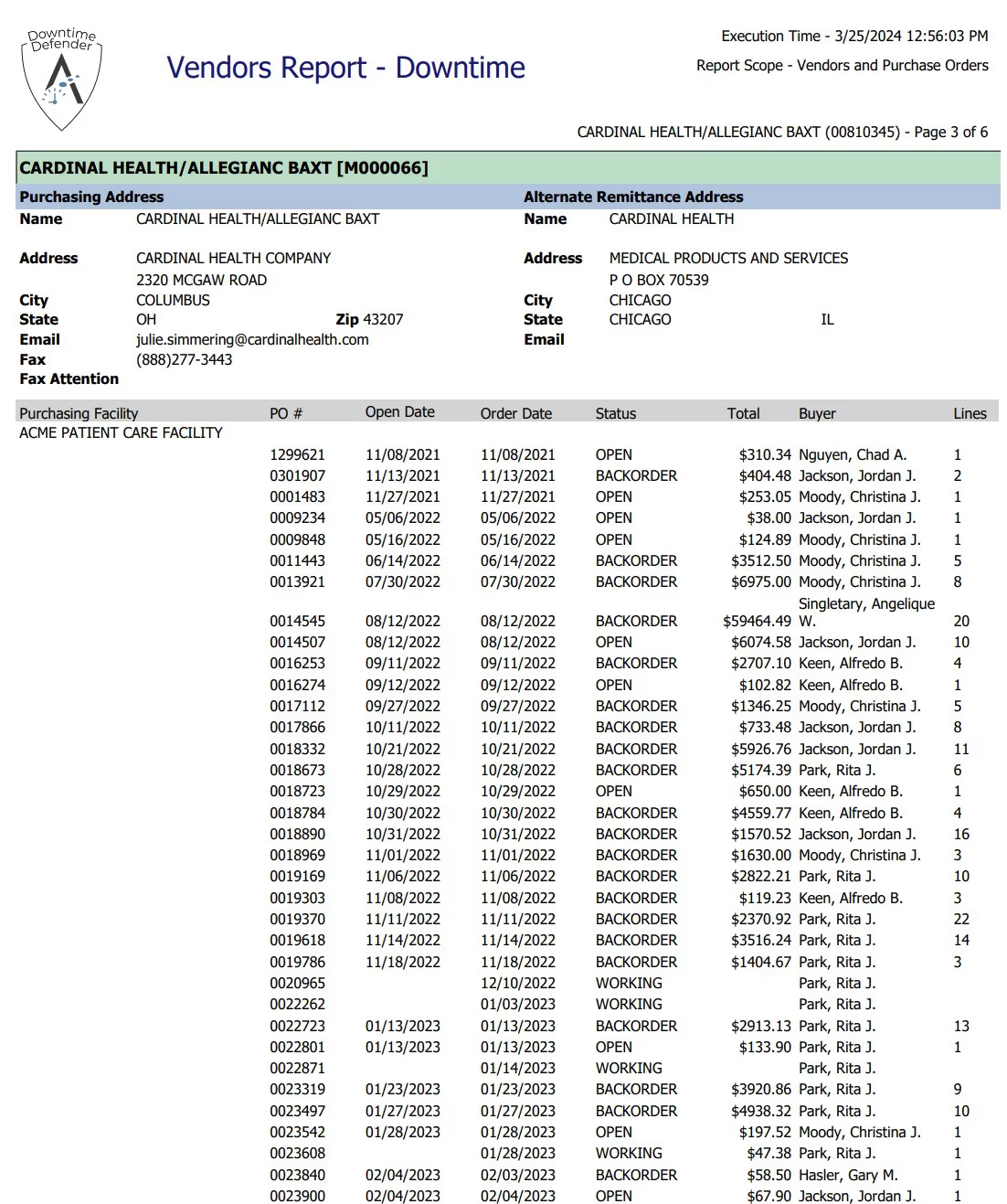
Vendor contact information and purchase order history for maintaining supply chain operations.

Downtime Defender materials management vendors report - supply chain data during MEDITECH downtime

Patient dietary needs, no guesswork

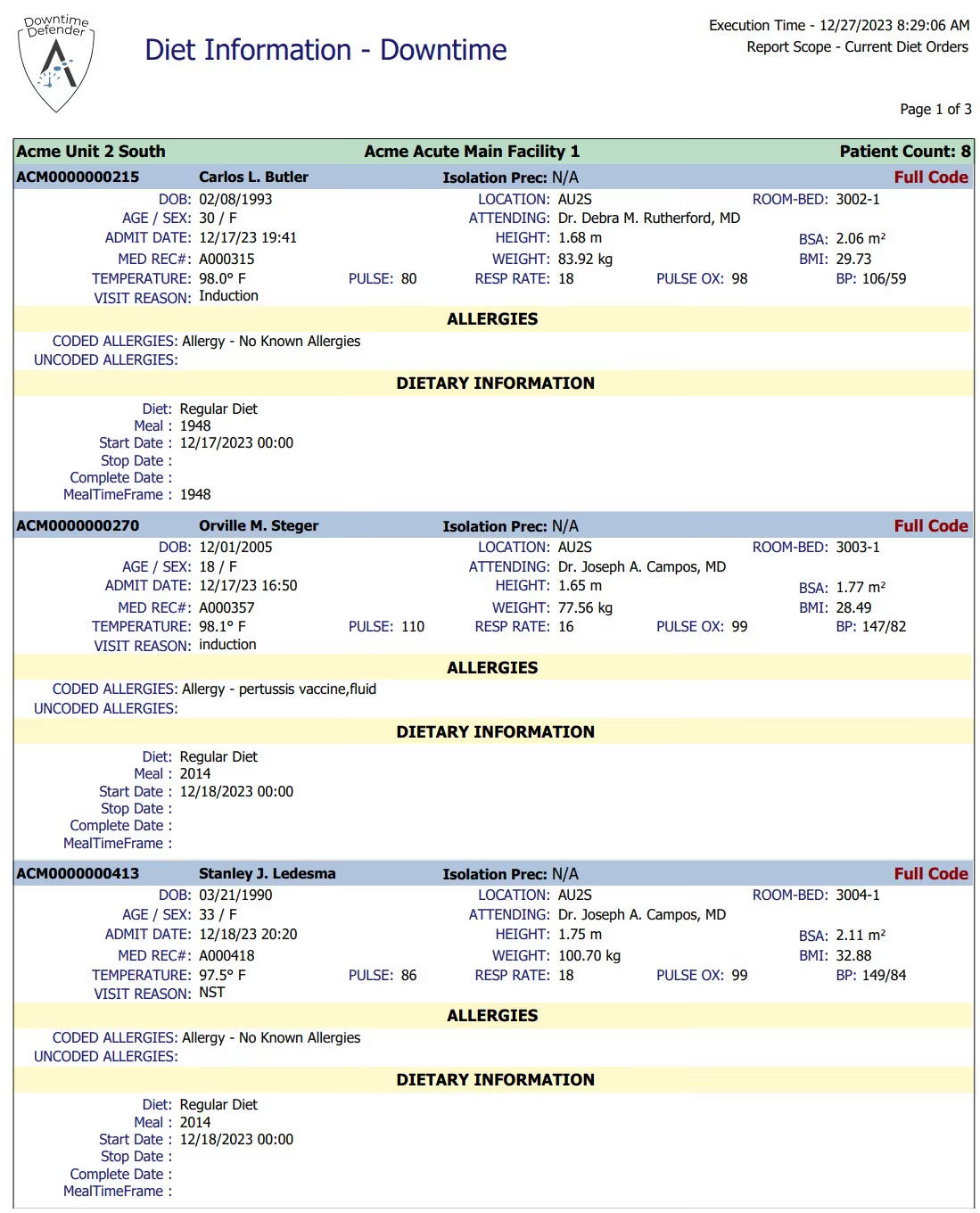
Patient dietary requirements and allergy information for food service teams operating without system access.

Downtime Defender diet report - patient dietary information during MEDITECH system outage

Confidence that everything is current

At-a-glance view confirming all report snapshots are up to date and distribution is running normally.

Downtime Defender status dashboard - real-time monitoring of report delivery and data freshness

Built for MEDITECH. Priced for Community Hospitals.

Downtime Defender is not an enterprise platform repurposed for smaller organizations. It's purpose-built for the hospitals that need a reliable, affordable downtime solution without the complexity and cost of systems designed for large academic medical centers.

Healthcare data analyst developing Power BI dashboards for hospital operations

Purpose-Built for MEDITECH

Designed from the ground up for MEDITECH Data Repository across every platform generation from MAGIC through Expanse. Not a generic tool adapted for healthcare.

Dual-Storage Redundancy

Reports stored both locally and in the cloud. If your network is compromised, cloud access is still available. If cloud connectivity is disrupted, local copies are still on-site.

Automated and Always Current

No manual preparation. Downtime Defender generates fresh snapshots on a continuous schedule so data is always current when you need it.

Fast, Simple Implementation

No complex infrastructure deployment. Acmeware's team handles implementation and your hospital is protected quickly.

CMS Compliance Ready

Meets the requirements of the CMS Safer Guide for contingency planning, giving your compliance team a documented, testable downtime solution.

Predictable Cost

Subscription-based pricing with a fixed annual fee. No variable costs, no surprises. Available as OpEx or CapEx.

Set It Up Once. Trust It Forever.

Downtime Defender runs continuously in the background so your hospital is always prepared, without anyone having to think about it.

Hospital quality reporting manager ensuring CMS compliance requirements
Hospital IT director managing EHR system operations and data reporting
Healthcare professional managing MEDITECH Data Repository support services

Step 1: Configure

Acmeware installs Downtime Defender and configures your standard and custom report library based on your hospital's downtime procedures and clinical priorities.

Step 2: Generate

Downtime Defender runs continuously, pulling current data from your MEDITECH Data Repository and generating fresh PDF report snapshots on a regular schedule.

Step 3: Store

Reports are distributed automatically to local on-premises storage and secure cloud storage, ensuring redundancy.

Step 4: Access

When a downtime event occurs, your clinical and operational teams access the latest report snapshots from whichever storage location is available. No scrambling. No stale data. No gaps.

Don't Take Our Word for It.

Our MEDITECH customers say it better than we ever could.

Next Steps

See Downtime Defender in Action

Schedule a demo and we'll walk you through the full report library, show you the dual-storage architecture, and help you evaluate how Downtime Defender fits your hospital's business continuity plan.

Contact Us
Healthcare data analyst developing Power BI dashboards for hospital operations